# Discord x Stripe : Simple payment integration ⚡️
> I have created a service who is called OnlyDfans to make this configuration for you ! More information to https://onlydfans.io
As a developer, I have coded many bot with Discord.js.
I have created a bot recently, **“Discord Protector”**. It’s a Global Ban Management bot with many extra features ([https://discord-protector.qlaffont.com](https://discord-protector.qlaffont.com)).
I want to enable extra features with subscription quickly and in a simple way. Solution: **Stripe**
*Let’s start !*
> If you are interested and you want to have a solution like this, I can do it ! Contact me at **contact@qlaffont.com**
## Todo-list
To enable extra features, I need to achieve this todo-list :
1 — 💳 Redirect user to Stripe to pay subscription
2 — 👨💻 Create a customer platform to manage subscriptions
3 — 🖥 Receive Stripe webhook to enable extra features
## I. 💳 Stripe Checkout
For people who don’t know, [Stripe](https://stripe.com) is a payments infrastructure. It’s a famous platform and many website use it (Deliveroo, Banking, Asos, etc.).
One of the most famous product is **Stripe Checkout**. This product create for you a checkout page with everything (Branding, Product details, etc.).
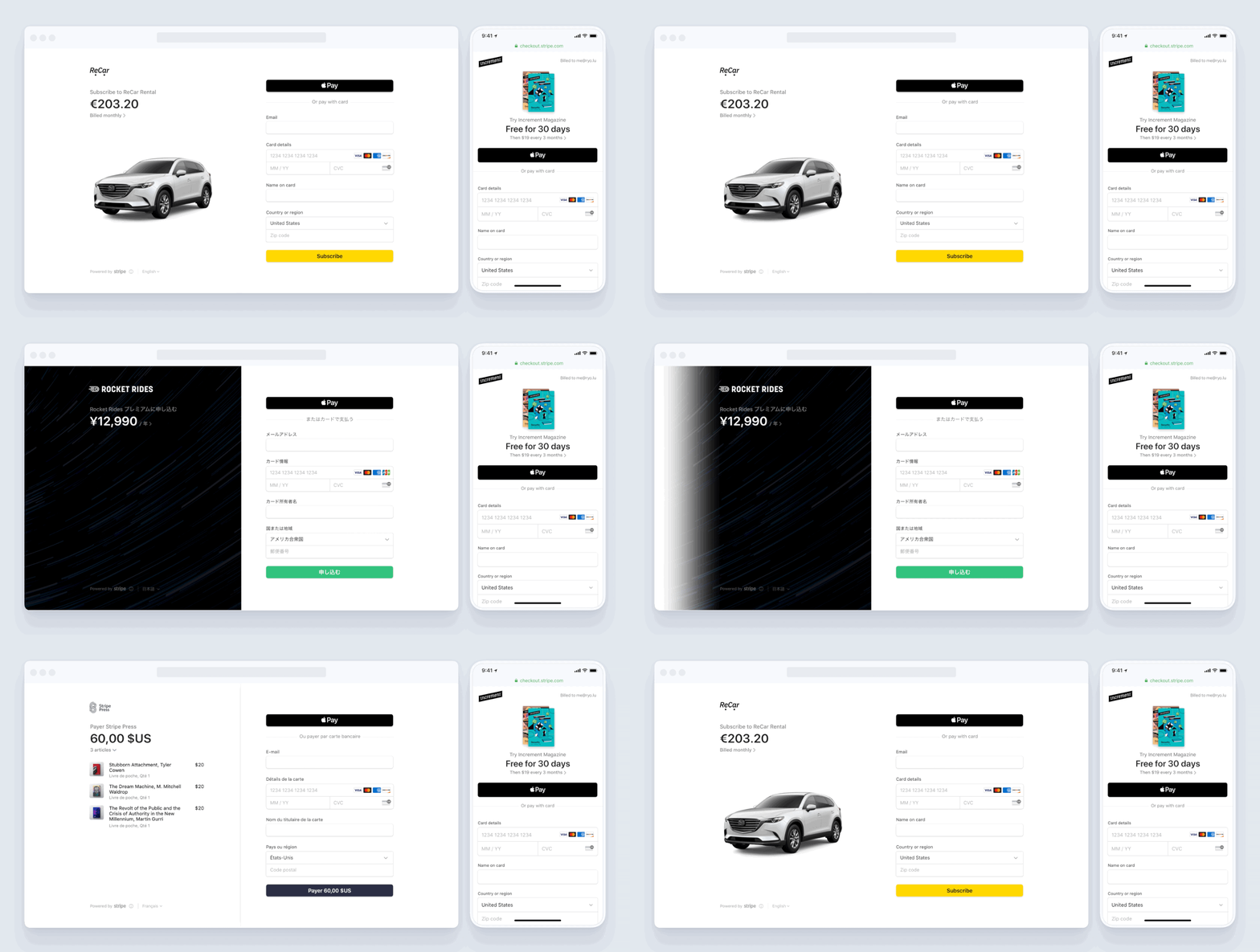*Stripe Checkout*
This product **will reduce for me a lot of coding time**.
After reading [Stripe Checkout Documentation](https://stripe.com/docs/payments/checkout), I know that I need to create a Stripe Customer and generate a Stripe URL when user want to pay his subscription. (In this case, when user type in channel *!banp pay*)
```
const stripeUser = await stripe.customers.create();
//Save stripe customer id in db -> stripeUser.id
const session = await stripe.checkout.sessions.create(
{
payment_method_types: ["card"],
line_items: [
{
price: PRODUCT_PRICEID,
quantity: 1,
},
],
customer: stripeUser.id,
mode: "subscription",
success_url: "MY_SUCCESS_URL",
cancel_url: "MY_CANCEL_URL"
});
// Url to send to user in private message
url = `/payment-page?CHECKOUT_SESSION_ID=${session.id}`;
```
And I have created a webpage to redirect user to checkout page :
```
```
**Step 1 - Done** ✅
## **II. 👨💻 Stripe Billing Customer Portal**
Recently, I have seen on ProductHunt a [post](https://www.producthunt.com/posts/stripe-billing-customer-portal) for Stripe Billing Customer Portal.
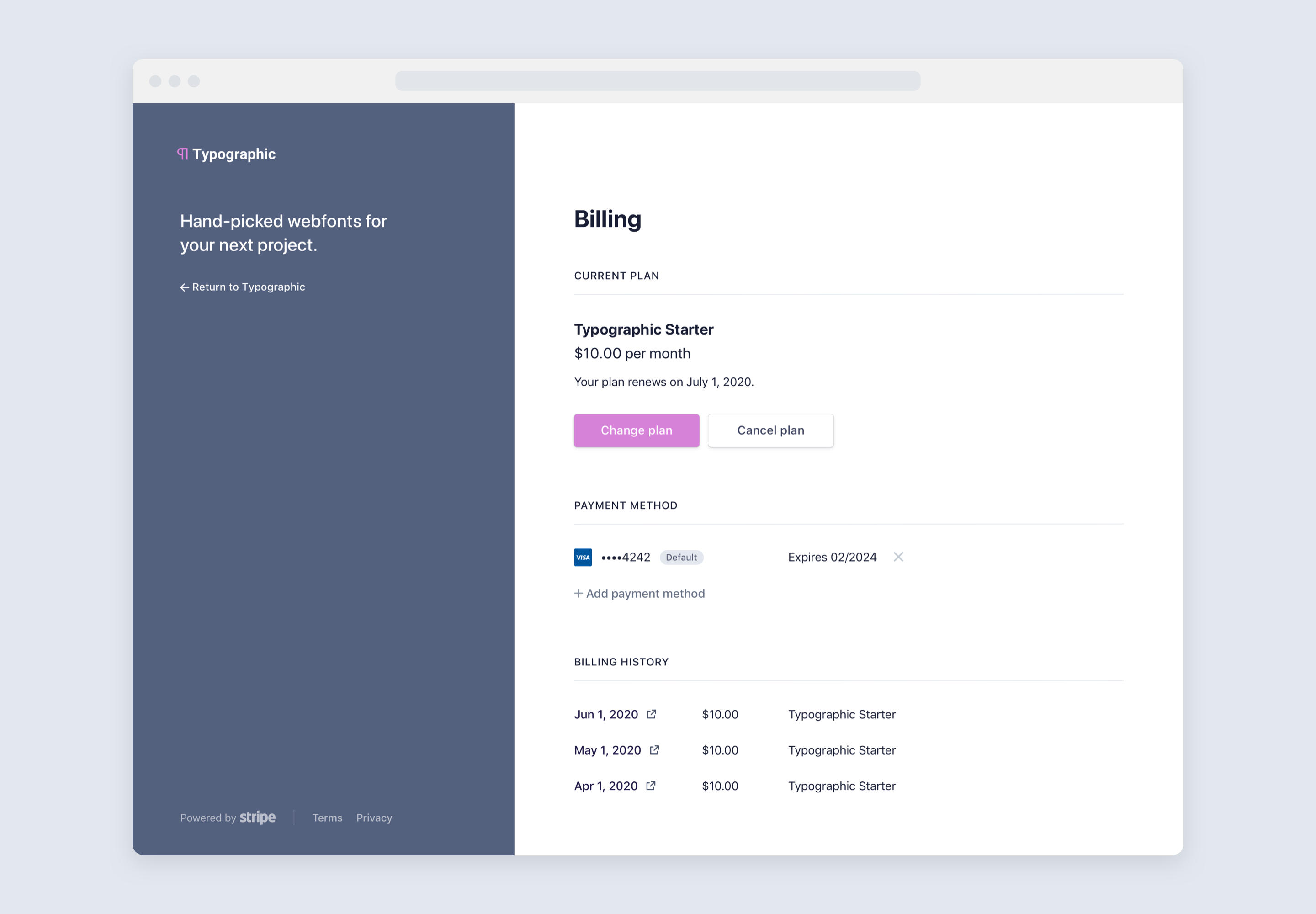*Stripe Billing Customer Portal*
It’s a new product released by Stripe Team who **create a Stripe-hosted page for customers to manage subscriptions (Change Plan, Cancel Plan) and to manage invoices**.
Perfect, now I know that this step is simple like step 1.
After reading [Stripe Billing Customer Portal](https://stripe.com/docs/billing/subscriptions/integrating-customer-portal), I know that I just need to communicate a stripe url to user.
```
const session = await stripe.billingPortal.sessions.create({
customer: server.stripeCustomerId,
return_url: "MY_RETURN_URL",
});
//Send url to user in private message -> session.url
```
**Step 2 - Done** ✅
## III. 🖥 Stripe Webhook Integration
To handle Stripe Webhook, I need to create an HTTP Route to receive events. To do that, I use [Fastify](https://www.fastify.io/) but you can use what you want to make an HTTP Server.
```
f.post("/webhook", async (request: FastifyRequest, reply: FastifyReply) => {
const event = request.body;
switch (event.type) {
case "checkout.session.completed":
//Save Customer ID and save the fact that now he can use Stripe Billing Customer Portal
break;
case "customer.subscription.updated":
// Check product id and save subscription date end (event.data.object.current_period_end)
break;
case "customer.subscription.deleted":
// Check product id and save subscription date end (event.data.object.current_period_end)
default:
// Unexpected event type
return reply.status(400).send();
}
reply.send({ received: true });
});
```
**Step 3 - Done** ✅
(Step 4 - Test with [Stripe testing cards](https://stripe.com/docs/testing) to check if everything work.)
## Conclusion
It tooks me less than 1 day to integrate payment in my Discord.js bot.
Stripe documentation is simple and integration is very fast ⚡️. Now you know how to integrate Stripe in Discord.js bot without any website to create.
If you have any question, you can contact me on Twitter **@qlaffont 😎**